
 Walk into a 3D lesson.Watch a learner go through the bar scenario, step by step.
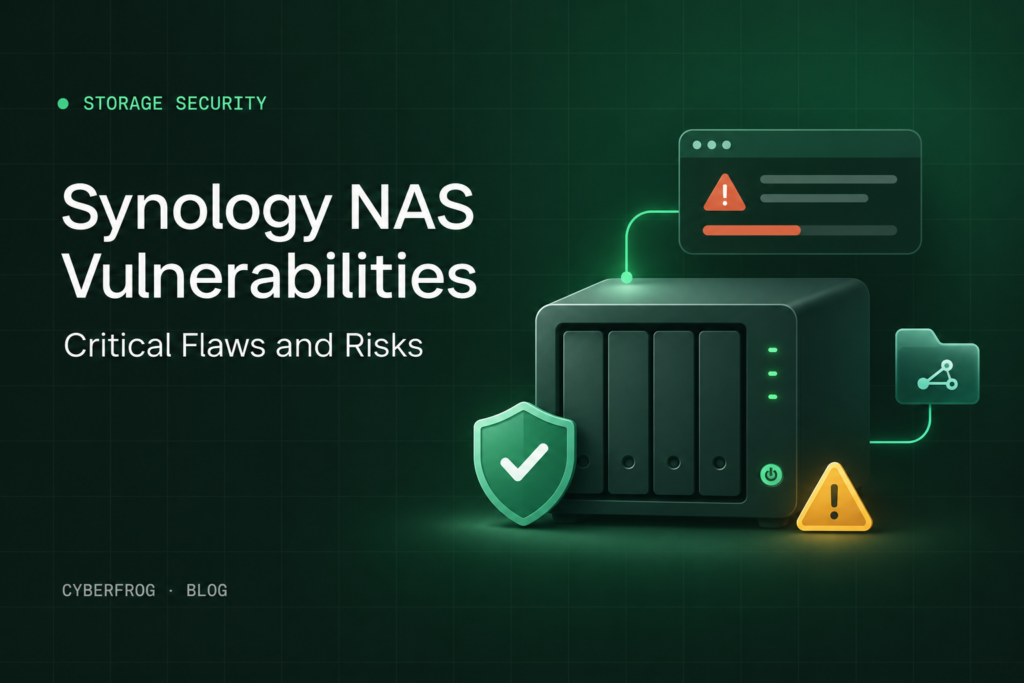
Synology NAS vulnerabilities have placed business data storage security under renewed scrutiny after the company disclosed two serious flaws affecting DiskStation Manager (DSM) and other NAS platforms on November 19, 2026. According to the official Synology security advisory, one vulnerability carries a critical CVSS score of 9.8 and could allow remote attackers to read or modify files without authentication.
A second flaw, rated 8.1, affects NGINX HTTP/2 functionality and introduces additional risks to affected systems.
For organizations relying on network-attached storage to manage business documents, employee information, and backups, these discoveries highlight the importance of timely security updates, controlled access, and effective incident-response procedures.
What Are the Critical Synology NAS Vulnerabilities?
The Synology NAS vulnerabilities disclosed on November 19 involve two distinct security weaknesses that could expose data or disrupt affected systems.
Both can potentially be exploited remotely without valid user credentials or employee interaction, provided the attacker has the required network access.
| Vulnerability | CVSS score | Security impact |
|---|---|---|
| CVE-2026-120382 | 9.8 — Critical | Unauthorized file access, file modification, denial of service |
| CVE-2026-123007 | 8.1 — High | Memory corruption, denial of service, potential remote code execution |
Synology classifies both issues as critical at the affected-product level, despite their different individual CVSS scores.
These vulnerabilities are especially concerning because NAS devices often store information shared across departments, creating potential consequences beyond a single compromised device.
CVE-2026-120382: Critical OAuth API Vulnerability
CVE-2026-120382 involves improper handling of command argument delimiters within the DSM OAuth API.
The flaw may allow an unauthenticated remote attacker to read or write arbitrary files or cause a denial-of-service condition.
Its CVSS score of 9.8 reflects the severity of the potential impact on confidentiality, integrity, and availability.
Organizations should pay particular attention to systems exposing affected services to untrusted networks.
CVE-2026-123007: NGINX HTTP/2 Security Flaw
The second vulnerability involves a heap buffer overflow affecting NGINX configurations that use HTTP/2.
Specially crafted network traffic can trigger memory corruption and potentially crash an NGINX worker process.
Remote code execution may also be possible under certain conditions, particularly where Address Space Layout Randomization (ASLR) is disabled or successfully bypassed.
Although this vulnerability has a lower CVSS score of 8.1, its potential impact still makes remediation a priority.
Why Synology NAS Vulnerabilities Matter for Businesses
Network-attached storage devices are commonly used for centralized file storage, collaborative work, backups, and access to operational information.
A vulnerability affecting such systems can therefore create risks across several business functions.
Exposure of Sensitive Business Information
NAS devices may hold financial documents, contracts, employee records, customer information, and proprietary business data.
Unauthorized access could compromise confidentiality, while file modification could undermine the reliability of stored information.
The existence of these flaws does not mean that any particular organization’s data has been stolen. Confirmed exposure requires supporting evidence from an investigation.
Operational Disruption and Data Availability
A successful denial-of-service attack could interrupt access to files or applications that depend on the affected storage system.
Organizations should consider how dependent their daily operations are on NAS availability and whether they have alternative access and recovery arrangements.
Increased Incident-Response Complexity
When storage infrastructure becomes a potential attack target, security teams must investigate more than software versions.
They may need to review network connections, administrative activity, unusual file changes, and evidence of unauthorized access.
For businesses with limited internal security resources, clearly defined incident-reporting responsibilities can make investigations more efficient.
Which Synology Devices Are Affected and How Can They Be Secured?
The affected products include several DSM versions and BeeStation OS. The exact scope varies between the two vulnerabilities.
Synology’s November 19 advisories identify the following remediation guidance.
| Platform | Recommended action |
|---|---|
| DSM 7.4 | Upgrade to 7.4.1-90080-2 or later |
| DSM 7.3 | Upgrade to 7.3.2-86009-6 or later |
| DSM 7.2.1 and 7.2.2 | Upgrade to a supported fixed version |
| DSM 7.1 | Check vendor guidance and patch availability |
| BeeStation OS 1.5 | Monitor the relevant vendor advisory for updates |
Some additional Synology product families are affected by CVE-2026-123007 but not CVE-2026-120382.
Administrators should verify the product-specific advisory rather than assuming that every NAS model has identical exposure.
Where immediate patching is unavailable, Synology recommends deactivating the OAuth Service package for CVE-2026-120382 and disabling HTTP/2 for CVE-2026-123007.
Security teams should also restrict unnecessary external connectivity, verify backup integrity, and investigate suspicious activity.
Patch availability and installation status must be confirmed directly before considering a system remediated.
How Security Awareness Training Complements NAS Protection
Synology NAS vulnerabilities are primarily technical weaknesses. Employees cannot prevent attackers from exploiting them simply by recognizing phishing emails or following password policies.
However, security awareness still plays an important role in limiting related risks and improving organizational response.
For example, an employee who receives an unexpected message claiming that company storage has been compromised should know how to verify its authenticity.
Attackers may exploit public vulnerability announcements to distribute fraudulent security warnings, impersonate IT support, or request access to corporate systems. These are realistic secondary risks, not confirmed activities associated with these specific Synology flaws.
Organizations can address these scenarios through security awareness training for employees that reinforces verification procedures, safe file handling, and timely reporting.
Recognizing Suspicious Security Notifications
Employees should be cautious of unexpected messages requesting urgent account verification, password changes, or downloads supposedly related to a storage security incident.
Practical training should encourage them to:
-
Verify security notifications using established IT communication channels.
-
Avoid installing software from unverified messages.
Cyberfrog platformTrain people for the attacks they actually face.
Build stronger habits with phishing, vishing, smishing, deepfake and immersive 3D simulations employees remember.
-
Report suspicious requests for credentials or remote access.
-
Follow company procedures when encountering unexpected file-access problems.
For organizations investigating possible secondary exposure, dark web monitoring can provide additional visibility into compromised credentials or leaked information when such evidence appears in monitored sources.
External monitoring does not determine whether a Synology vulnerability was exploited. Technical investigation remains necessary.
Five Security Practices Every Organization Should Reinforce
Organizations should use the Synology NAS vulnerabilities as an opportunity to review their wider security practices.
1. Establish Clear Update Responsibilities
IT teams need defined ownership of storage infrastructure, including responsibility for reviewing security advisories and applying patches.
Employees should understand that legitimate updates follow approved company procedures, not instructions received through unexpected messages.
2. Protect Administrative Access
Administrative accounts should use appropriate access restrictions, strong authentication, and least-privilege permissions.
Employees should never share administrator credentials or approve unexpected support requests without verification.
3. Practice Secure File Sharing
Sensitive files should be shared only with authorized recipients through approved systems.
Staff should recognize unusual requests to upload internal documents, change sharing permissions, or bypass established controls.
4. Report Unexpected System Behavior
Missing files, unexplained permission changes, or unusual storage access failures may deserve investigation.
Employees should report these observations promptly rather than attempting unauthorized troubleshooting.
5. Reinforce Learning Through Practical Exercises
Cybersecurity training is more useful when employees practice realistic decisions.
Organizations can use phishing and social engineering simulations to assess how staff respond to suspicious security alerts, impersonation attempts, and fraudulent requests.
These exercises should complement technical controls rather than replace them.
Turning Synology Security Alerts Into Employee Learning
Public vulnerability disclosures offer security teams an opportunity to connect technical risks with everyday workplace behavior.
A useful training scenario might involve an employee receiving an urgent email claiming that a company NAS device requires immediate verification.
The message directs the employee to a fraudulent support page and requests corporate credentials.
The employee must decide whether to follow the instructions or contact IT through an established channel.
Such a scenario would illustrate phishing and impersonation risks associated with security announcements. It would not reproduce exploitation of CVE-2026-120382 or CVE-2026-123007.
Cyberfrog offers interactive training, security awareness courses, and simulated social engineering exercises that can help organizations prepare employees for these decisions.
Its approach aligns with the principles discussed in AI-powered security awareness training for modern cyber risks, where incident-based education supports practical employee decision-making.
The goal is to develop reliable habits that help employees recognize suspicious requests and report concerns before additional harm occurs.
Frequently Asked Questions
Are the Synology NAS vulnerabilities being actively exploited?
The November 19 advisories confirm the existence and potential impact of the vulnerabilities, but do not establish widespread exploitation in the wild.
Organizations should avoid assuming that their systems have been compromised solely because they operate affected software. Administrators should review available security updates, investigate relevant indicators, and monitor trusted vulnerability intelligence.
Can Synology NAS vulnerabilities expose business files?
Yes. CVE-2026-120382 may allow remote attackers to read or modify arbitrary files on vulnerable systems.
The extent of any actual exposure depends on the affected device, its configuration, network accessibility, and whether exploitation occurred.
Organizations should investigate suspicious activity rather than automatically treating every vulnerable system as a confirmed data breach.
Can employee training prevent these Synology attacks?
No. These vulnerabilities may be exploited without employee interaction, so awareness training cannot directly prevent their exploitation.
However, training can help employees recognize fraudulent support requests, report suspicious activity, and follow appropriate information-security procedures.
Effective protection requires technical remediation, access controls, monitoring, and incident-response capabilities.
What should businesses do after discovering a vulnerable Synology NAS?
Administrators should identify the affected device and software version, consult the relevant Synology advisory, and apply available fixes.
If an immediate update is unavailable, they should evaluate the vendor’s recommended mitigations and restrict unnecessary network access.
Organizations should also review backups, investigate potential compromise, and communicate relevant procedures to affected employees.
Build a Workforce That Responds Confidently to Cyber Threats
Synology NAS vulnerabilities demonstrate why effective cybersecurity requires coordinated technical defenses and employees who understand their responsibilities during security incidents.
Patching, access restrictions, and infrastructure monitoring address the immediate technical risks. Practical security awareness training helps employees recognize deceptive communications, protect sensitive information, and report suspicious activity.
Cyberfrog helps organizations turn relevant threats into realistic learning experiences through interactive training and phishing simulations.
Explore Cyberfrog and request a demo to discover how continuous security awareness can support a more prepared and security-conscious workforce.
Sources
- Synology SA 26 21 synology.com
Make awareness training feel real.
Phishing, vishing, smishing, deepfake and 3D simulations with AI content and unified reporting.