

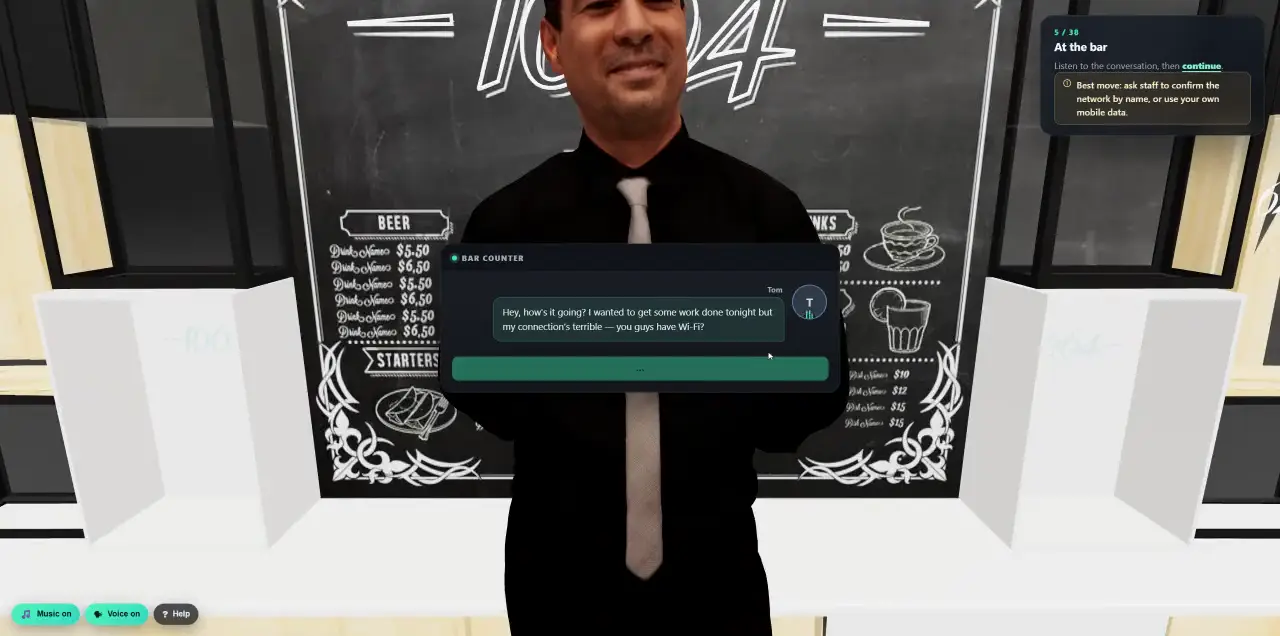
 Walk into a 3D lesson.Watch a learner go through the bar scenario, step by step.
- Platform
- OSINT-Driven Campaigns
One domain in. An attacker’s OSINT view out.
Enter a company domain and walk away. Cyberfrog finds who is exposed, checks leaked credentials and breach data, picks the people an attacker would go after first, researches them in depth and drafts simulations built on their real exposure. Nothing is sent until you launch it.
- One domain, no target list
- Breach and stealer-log data
- AI research on priority people
- Personal simulations, reviewed by you
Who an attacker would find first.
No target list to build by hand. From one domain Cyberfrog collects the employees an outsider can find, the roles they hold and the credentials that have already leaked, in the order an attacker would work.
- Sources
- Public email discovery, professional profiles, and breach and stealer-log intelligence from Darknetsearch.
- Addresses
- Found addresses, plus addresses rebuilt from the company’s email pattern, clearly marked.
- Clean
- One record per person across all sources. Generic mailboxes such as info@ or sales@, in seven languages, never count as high-value.
- Breach landscape
- The breaches and datasets that mention the domain, with dates, record counts and data classes.
- Two modes
- Automatic runs the whole chain unattended. Manual stops after discovery so you choose who goes further.
Not everyone is equally interesting.
Every person gets a score out of 100 from three things an attacker cares about: what has leaked, what their job gives access to, and how easy they are to find. The highest scores become your high-value targets.
- Leaked credentials
- Classified by where they came from: a confirmed stealer log, a service breach, a combolist or a URL-login-password collection.
- Roles
- Executives, directors and heads, and high-risk departments such as finance, legal, HR and accounting, recognised in several languages.
- Tiers
- Critical, high, medium or low, with a clear reason for every point.
- Breach exposure, 0–40
How many leaks, and whether a password or a stealer log is among them.
- Position, 0–30
C-suite, leadership, high-risk department or other.
- Visibility, 0–30
Number of sources, public profiles and pages.
- High-value
The people with the most to lose, and the most leaked, go first.
The research an attacker would do. Done for you.
For up to 20 priority people per run, Cyberfrog digs deeper and an AI turns the findings into a risk profile and concrete pretexts, each one tied to the evidence it came from.
- Accounts on other services
Which public services an address is registered with, from shopping to travel.
- Google identity and public reviews
The public footprint behind an address, including reviews that reveal habits and places.
- Microsoft recovery hints
Partial recovery details an attacker could use to sound convincing.
- Pretexts with sources
Up to 20 spear-phishing pretexts per person, each citing its evidence and rated for how likely it is to work.
- Risk profile
A score from 0 to 100, an executive summary, and attack vectors ranked by likelihood and impact.
- No evidence, no guess
When nothing relevant is found, the profile says so instead of inventing a story.
- Passwords masked for the AI
- Evidence cited
- Review before use
Simulations built from each person’s exposure.
The best pretexts become ready-to-launch simulations: a sign-in page that matches the leaked service and a lure email that uses what the person really did. Every one is yours to review and edit.
- Microsoft 365 sign-in
- Google account
- Booking and payment lures
- Supplier invoices
- Security alerts
- Per person
- Up to three web pages and two emails for each priority person, without duplicates.
- Realistic
- The look of the service is taken from its public website: name, colour and logo.
- Training moment
- Anyone who submits the form lands on a short explanation instead of a dead end.
- Reusable
- Templates stay in your library for the domain, and translate into 130+ languages.
Six steps, one afternoon.
Each step starts the next. In automatic mode you enter the domain and come back to drafted simulations, then decide what to send.
- 01A ready audience
The people you selected become a recipient group, and each person is paired with the scenarios built for them.
- 02You keep control
Sender, follow-up training, schedule and launch settings stay editable in the normal campaign wizard.
- 03Results that count
Outcomes feed each person’s risk score and your programme, and the latest scan sits on your dashboard.
Powerful, and careful with it.
OSINT shows how exposed people are. Cyberfrog uses it to train them, and handles what it finds with care.
- Discovery emails nobody
Scanning only reads public and breach sources. Nothing reaches an employee until you launch.
- Passwords stay hidden
The admin sees only “exposed” or “not found”, and passwords are masked before any AI sees them.
- You review everything
Every pretext and template is a draft until you edit, approve and launch it.
- Focused
Deep analysis runs only on the priority people, never on the whole company.
- Scan once, reuse
Reopen a previous scan instead of running it again.
- For MSPs
Run scans on behalf of customers and prospects, with their authorisation, and show them what an attacker sees.
From exposure to fewer clicks.
- SimulateAI-powered attacks
Follow the OSINT emails with an AI phone call or a deepfake for your top targets.
See AI attacks - RespondExposure and breach response
When new leaks appear, the affected people get the right lesson automatically.
See breach response - PlanAnnual programmes
Use what you learned to give high-risk people extra practice all year.
See programmes
See what an attacker sees about you.
In a 30-minute demo we scan your domain live and walk through the results together.