

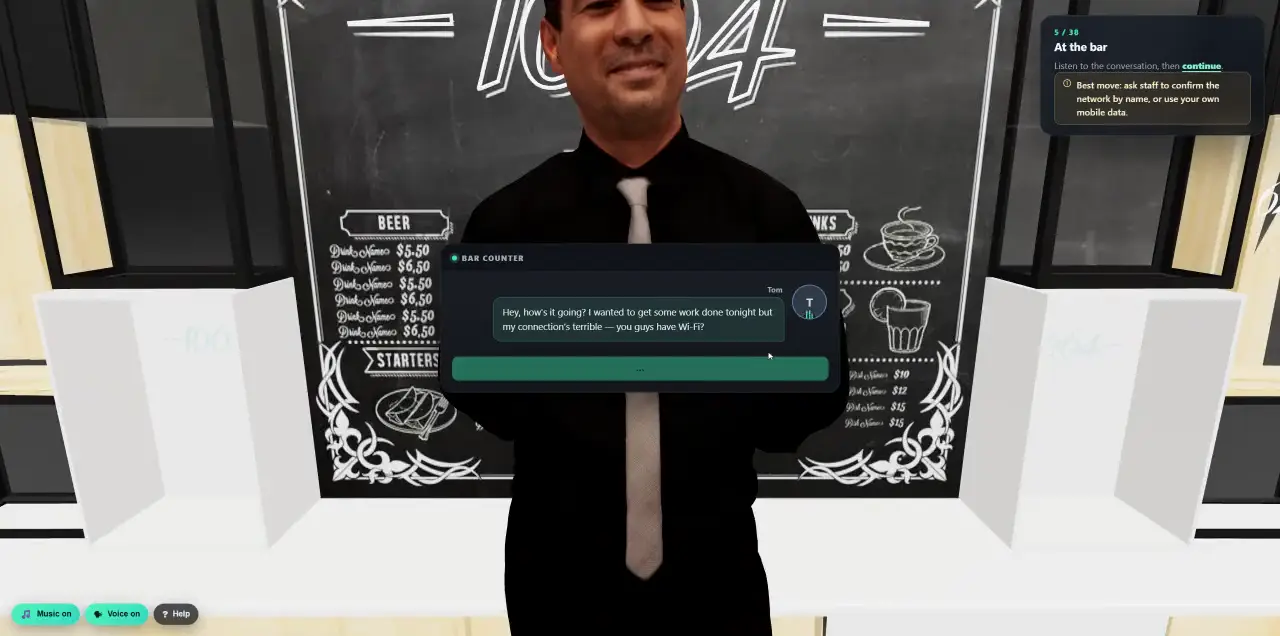
 Walk into a 3D lesson.Watch a learner go through the bar scenario, step by step.
- Platform
- Phishing Reporting & SOC
One click to report phishing. Straight to your SOC.
A Report Phishing button in Outlook and Gmail. When someone reports a Cyberfrog simulation, they are thanked and rewarded on the spot. When they report a real suspicious email, the original goes to your security team, Microsoft Defender or your SOC tools, untouched.
- Outlook and Gmail, desktop and mobile
- Simulations recognised by a signed header
- Microsoft Defender and SOC hand-off
- Reporting in every result
Where people already read their email.
Reporting only works if it is easier than ignoring. The button sits in the reading pane of every Outlook and in Gmail’s side panel, on the desktop and on the phone, and takes one click.
- Outlook
- New and classic Outlook for Windows, Outlook on the web, Outlook for Mac, and Outlook for iOS and Android. Where Microsoft’s built-in report button is available, Cyberfrog plugs into it.
- Gmail
- A Google Workspace add-on for Gmail on the web, Android and iOS.
- Roll-out
- Deployed once for everyone from the Microsoft 365 admin center or the Google Workspace Marketplace. No installs on laptops.
- Your choice
- One button, or categories such as phishing, spam and not spam, with an optional comment. Your wording, your language.
Our simulations, recognised instantly.
Every Cyberfrog simulation carries a signed identifier. When it is reported, Cyberfrog checks it against its own delivery records before calling it a simulation. A header alone never proves anything is safe.
- Signed
- A unique, signed identifier per message and recipient, with no personal data in it and keys that rotate.
- Cross-checked
- Signature, campaign, message and the person who reported it must all match a real send.
- Fail-safe
- Copied, altered, replayed or missing identifiers are treated as real and go to your SOC. Nothing reported is silently dropped.
- Reported
One click in Outlook or Gmail.
- Verified
Signature and delivery record checked on the server.
- Simulation
Thanks, points and a note on what gave it away.
- Real or unknown
Forwarded to your security destinations.
Into the tools your SOC already uses.
Cyberfrog is not another inbox for your analysts to watch. Real reports go, unchanged, to the destinations you set: one or several security mailboxes, Microsoft Defender, or your SOAR and ticketing tools.
- The original, preserved
The reported email is attached unchanged, with its headers and attachments, plus who reported it, when, from which client and in which category.
- Security mailboxes
One or more addresses, with a subject prefix your SOC filters on.
- Microsoft Defender
Submitted in the format Defender expects for user-reported messages, sent as the employee who reported it, so it appears in your Defender portal.
- Signed webhooks
Structured JSON with an HMAC signature for Cortex XSOAR, Tines, ServiceNow, Sentinel or your own code. Message content only when you allow it.
- Honest status
Each destination shows its own status, from queued to delivered, and failures are retried. Accepted is not presented as handled.
- Test it first
Send a test report to every destination before switching the button on.
- Original .eml
- Defender-compatible
- Per-destination status
Measure the habit that stops attacks.
Clicks show the risk. Reports show the defence. Every phishing simulation now records who reported it, how fast, and whether they reported before or after clicking.
- Reporting rate
- Reported before any click
- Clicked, then reported
- Median time to report
- By group and department
- Trend over time
- Fair
- Rates are calculated on simulations that were actually delivered.
- Honest
- A report never erases a click or a submitted form that came before it.
- Everywhere
- Campaign results, the dashboard, people and group statistics, exports and the API.
Recognised for spotting it, not for spamming.
Reporting a simulation before clicking earns points and badges in the learner portal, and every report shows up in the reporter’s history with its outcome.
- Points
- Full points for reporting a simulation before clicking, fewer after a risky click, none for a duplicate. You set the values.
- Badges
- From the first report to consistent defender, in the same portal people already use.
- Abuse-proof
- Reporting piles of harmless email earns nothing. Points are awarded once per message.
- Score
- Reports raise each person’s Security Fitness and feed your risk reporting.
Built with security teams.
A reporting button touches your mail system. Cyberfrog asks for as little access as possible and keeps as little as it can.
- Least privilege
Only the permissions needed to read the selected message and submit the report.
- Metadata, not mailboxes
Real reports are kept as metadata. The message itself is held only, encrypted, for as long as forwarding takes.
- Nothing deleted for you
The button never deletes or moves mail on its own.
- Safe to look at
Reported content is never rendered or executed in the Cyberfrog admin.
- Per customer
For MSPs, every customer has its own destinations, rules and statistics, fully separated.
- Audited
Every change to destinations and reporting settings is in the audit log.
The other half of every simulation.
- SimulateAttack simulation suite
Every email simulation carries the signed identifier automatically.
See the attacks - ConnectIntegrations
Defender, Sentinel, Splunk, syslog and signed webhooks in one place.
See integrations - ProveAnalytics and risk
Reporting rates per team next to clicks, for leadership and auditors.
See reporting
Press the button yourself.
In a 30-minute demo we send you a simulation, you report it, and we follow it into the dashboard and to your SOC.