

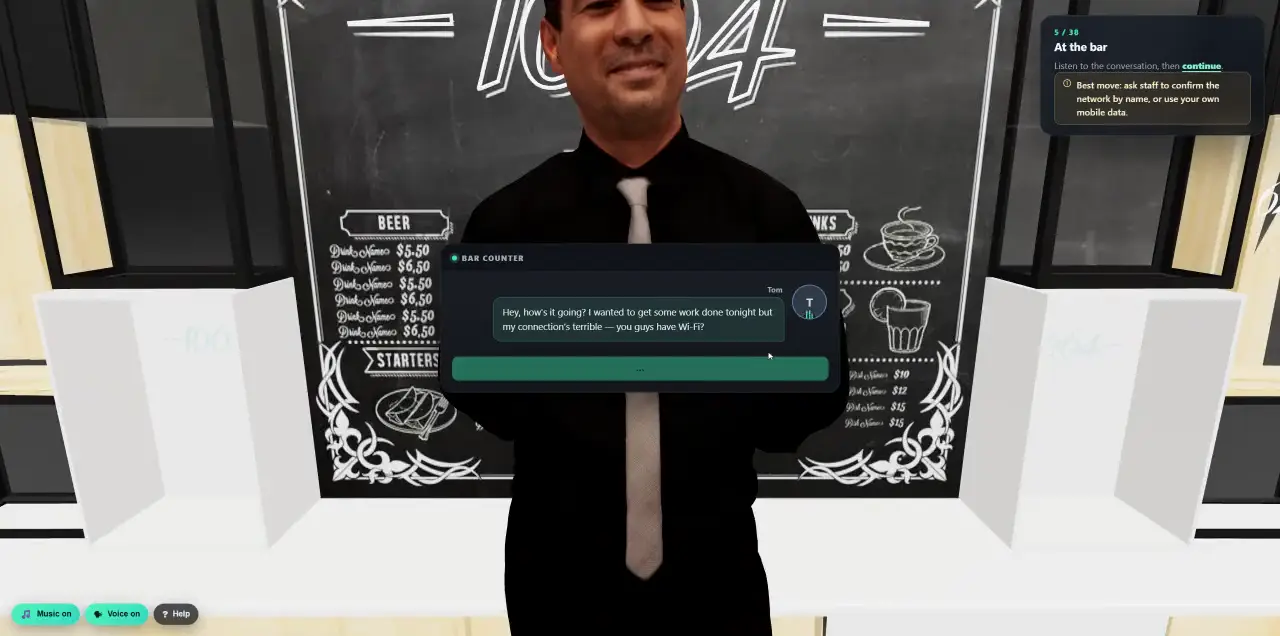
 Walk into a 3D lesson.Watch a learner go through the bar scenario, step by step.
- Platform
- Threat-News Campaigns
This week’s scams, simulated this week.
ThreatPulse reads public warnings from national CERTs, consumer agencies and security vendors every day. When a new scam is reported in your region, your people get a safe simulation of exactly that lure, and a few days later a short lesson about it, while it is still in the news.
- Public advisories, read daily
- Filtered by your countries and services
- Attack first, lesson a few days later
- Runs on its own, on your schedule
Warnings from the people who see scams first.
Every day ThreatPulse collects new warnings from national cyber-security centres, consumer protection agencies, tax authorities and security vendors, across Europe, the Americas and Asia-Pacific.
- National
- NCSC Switzerland, NCSC UK, CISA, Cybermalveillance, INCIBE, SingCERT, Scamwatch and the Japan Anti-Phishing Council.
- Consumer and tax
- Verbraucherzentrale’s Phishing-Radar and the Spanish tax agency.
- Vendors
- Threat research from Microsoft, Proofpoint, Cofense and Malwarebytes.
- Filtered
- Every report is moderated first. Pure software-vulnerability notices are skipped, and the same scam reported by several sources becomes one brief.
The scam, understood and rebuilt safely.
An AI reads each warning as data, never as instructions, and extracts the attack pattern: the service that is abused, the pretext, what victims are asked to do, the channel, and where it was seen.
- 01Extract
Service, pretext, requested action, sequence, channel, landing behaviour, countries, audiences and the lessons to teach, each tied to the source.
- 02Package
An attack email, optionally a landing page, and a five-minute lesson with a quiz about that exact lure, built as one package.
- 03Your own
Pick the reported scams you care about, ask for a change in plain words, and the Studio rebuilds the lure from the report’s own screenshots, logo and colours, in the lure’s original language.
Set it up once. It keeps up with the news.
A news-driven campaign is a standing campaign. You choose who, where and how often. On each run it picks a recently reported scam that fits, and you never write an attack or a lesson yourself.
- Relevant
- Your countries and the services your company really uses, from Microsoft and DocuSign to DHL and PayPal.
- Coverage
- Email only, or email and a landing page.
- Rhythm
- Weekly, every two weeks or monthly, in your time zone, with only fresh news.
- Not too often
- A minimum gap and a monthly cap per person, so news-driven simulations never become noise.
- Approval
- Cyberfrog approves each package, or you approve every run yourself.
- Collected
New warnings, every day.
- Matched
Your countries, services and channels.
- Approved
By Cyberfrog or by you.
- Sent
Attack first, lesson a few days later.
The real lure, then the lesson.
First a safe simulation of the scam that is going around. A few days later, while it is still fresh, a short lesson about that same lure: how to recognise it and what to do.
- Parcel and customs fees
- Tax refunds
- Account suspensions
- Fake invoices
- Document shares
- Bank alerts
- Credited
- “Reported in the news”: every lesson names the source that warned about the scam.
- Harmless
- No working address, and the simulation never collects a password, a code or card details.
- Languages
- One run per language, in each person’s own language with a fallback.
- For everyone
- The lesson goes to everyone in the run, not only to the people who clicked.
Real news. Safe simulations.
A scam taken from the news has to be both realistic and harmless. Every package passes automatic checks and a review by the Cyberfrog team before it reaches any customer.
- Grounded
- The service and every claim must come from the source report.
- Clean
- No remote images, scripts, forms or real addresses in the email, and links always point to Cyberfrog.
- No secrets
- Password, one-time code and card fields are removed from every landing page.
- Versioned
- Regenerating a package creates a new version; what is published never changes underneath you.
Per run. Per language.
See how each run went: delivered, opened, clicked, submitted and trained, split by language, with security scanners filtered out of the clicks.
- 01Honest clicks
Opens and clicks are split into human, automated and unknown, so mail scanners do not inflate your numbers.
- 02Training included
Lessons assigned, started, completed and passed, with the average score.
- 03In context
Every run names the scam it simulated and the source that reported it.
The news, inside your programme.
See this week’s scams for your region.
In a 30-minute demo we show the latest reported scams and the simulation your people would get.