

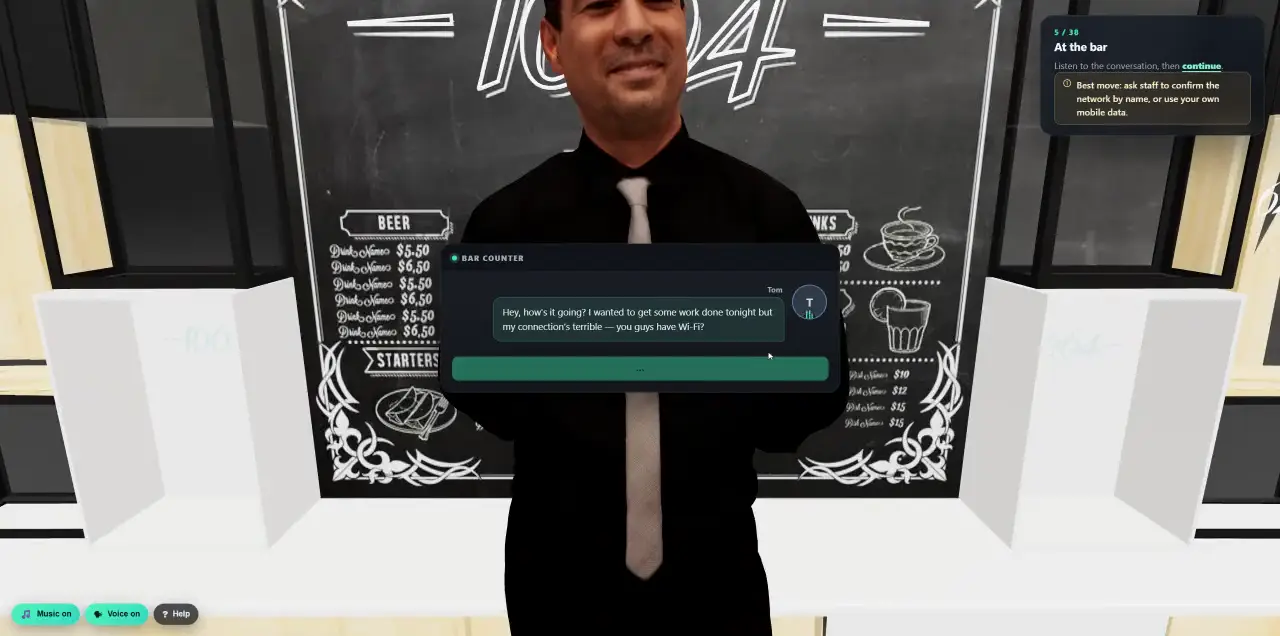
 Walk into a 3D lesson.Watch a learner go through the bar scenario, step by step.
- Platform
- Human Risk & Analytics
A human risk score that decides what happens next.
Every click, report, phone call and quiz feeds a behaviour profile and a risk score for each person, team and division. Cyberfrog does not leave it in a chart: it uses it to plan the next lesson and the next simulation, and sends it to leadership and your SOC.
- A risk score for every person
- Behaviour drives the next step
- Board-ready reports
- Streamed to your SIEM
Every click changes what comes next.
Someone falls for a simulation: Cyberfrog plans a short lesson on that exact lure and another, easier attempt. Someone spots and reports it: they are rewarded, and the next one is harder. Automatically, or with your approval.
- 01Automatic
Rules and programme branches react to each result: failed, failed again, passed, reported, high risk. Lessons, follow-up simulations, manager notes and tags happen on their own.
- 02Or with your say
Prefer to decide? Cyberfrog proposes the next step for each person and team, and you approve, change or skip it.
- 03Right difficulty
Simulations are sized to each person’s risk: easier for people who struggle, harder for those who keep spotting and reporting attacks.
See Adaptive Risk Campaigns: one campaign, a personal journey for every employee
One score. Always explained.
Every person gets a score from 0 to 100, built from what they actually did, and a profile of the kinds of lures they fall for. No black box: every point has a reason.
- Failed simulations
Clicks, submitted forms and disclosures on calls. Failing an easy scenario counts more than failing a hard one.
- Reports
Spotting and reporting simulations earns credit and lowers the score.
- Training
Completed lessons and good quiz scores lower risk.
- Exposure
How exposed the department is, and breach findings from Darknetsearch, with an influence you choose.
- Behaviour profile
Which lures someone tends to fall for, from urgent payments to document shares, so the next lesson and simulation target exactly that.
- Your rules
Turn factors on or off, set their weights and the high-risk threshold. Scores roll up to groups and divisions, with history over time.
- Low to critical
- Group and division roll-ups
- History and trend
From the funnel down to the word.
Every campaign shows what happened, where and to whom, across every channel: email, web, SMS, voice and deepfake. Open any person to see exactly what they did.
- Funnel
- Delivered, opened, clicked, submitted, reported and trained, with an outcome breakdown and a timeline of events.
- Breakdowns
- By division, department, location, job title and group, to see where risk concentrates.
- Map
- Where clicks and submissions came from, resolved locally and never shared with a third party.
- Drill-down
- Each person’s events, and for AI phone calls the full transcript with the exact words that gave something away.
Ready for the board, the auditor or the customer.
Turn any campaign or period into a report in a couple of clicks: a one-page executive summary, a full report, an editable Word document or the raw data, in your own branded template.
- Executive summary
- Full PDF report
- Word report
- CSV data
- Your template
- Logo, colours, cover page, fonts, header and footer, the sections you want, A4 or Letter.
- Languages
- English, German, French, Spanish and Italian reports.
- Scheduled
- Send a report every week or month to leadership automatically.
- For MSPs
- Reports in the partner’s brand for every customer.
Human risk, next to your other signals.
Your SOC already watches devices and identities. Add people: every risk change, failed simulation and report flows into the tools your security team uses.
- Pushed
- Events to Microsoft Sentinel, Splunk, syslog with CEF, and signed webhooks for XSOAR, Tines or ServiceNow.
- Pulled
- A REST API for risk by person, group and division, statistics and CSV exports.
- Act on it
- Use a high-risk signal to require extra sign-in checks or open a ticket in your own tools.
- Measured
Every simulation, call, report and quiz.
- Scored
Per person, team and division.
- Acted on
Next lesson, next simulation, a manager note.
- Shared
With leadership, auditors and your SOC.
Your view, in your order.
Every admin arranges the dashboard they need, from campaign performance to breach incidents.
- Risk spotlight
The highest-risk people, groups, departments and locations at a glance.
- Campaign performance
The running or latest campaign, simulations or training, over the last week, month or quarter.
- Breach incidents
New exposures from Darknetsearch and the training they triggered.
- Domain defense and OSINT
Look-alike domains and the latest exposure scan.
- Activity
What happened in the workspace, with a full audit log and CSV export.
- Ask Cyberfrog AI
“Who are our riskiest users?” answered from the risk engine, with the reasons.
Measured here, acted on everywhere.
See your human risk in one view.
In a 30-minute demo we walk through risk insights, a scored campaign and a board report.