

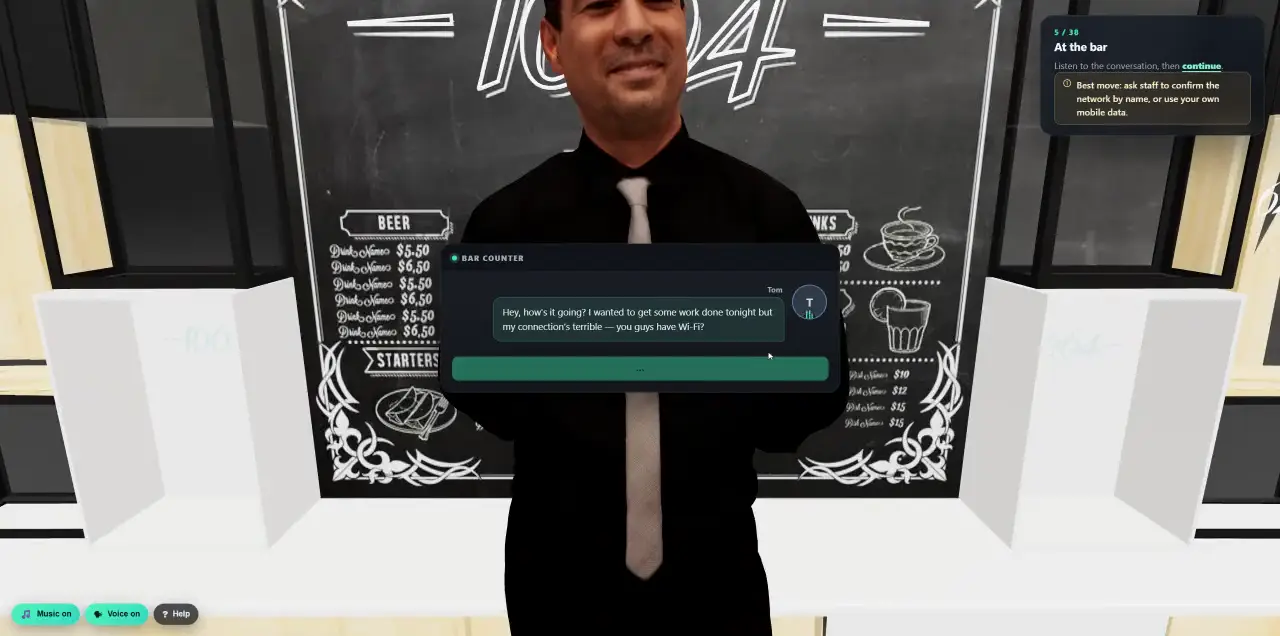
 Walk into a 3D lesson.Watch a learner go through the bar scenario, step by step.
- Platform
- Exposure & Breach Response
When a credential leaks, train that person today.
Darknetsearch watches the dark web for your company’s leaked credentials and infostealer logs. The moment one of your people turns up, Cyberfrog tells them exactly what was found, what to do, and assigns the right lesson, by your rules and without anyone lifting a finger.
- Powered by Darknetsearch
- Checked as often as every hour
- Personal, never shaming
- Runs on its own, all year
The dark web, watched for you.
Cyberfrog connects to Darknetsearch, our sister company’s dark-web intelligence platform. It watches leak databases, infostealer logs, pastes, hacker forums, ransomware leak sites and open cloud storage for your domains, and passes every finding that names one of your people to Cyberfrog.
- How often
- As often as every hour, or once a day, per workspace.
- Clean
- Repeated mentions of the same email in one leak collapse into a single alert, with a match count.
- What we know
- The leak, its source, when it was discovered, its tags and the exact line that mentions the person.
- Severity
- Higher when a password is in the record, highest for fresh infostealer logs.
Your rules decide who gets what.
Rules read like a sentence: WHEN the exposure is a stealer log on a work account, UNLESS it is a shared mailbox, THEN send the breach email and the 3D lesson. The highest-priority matching rule wins.
- Conditions
- Exposure type, severity, email, domain, login, URL, source, service, whether a password is present and how many findings, with operators from “is” to patterns and lists.
- Delivery
- Immediately or as a daily, weekly or monthly digest, at a set hour in each person’s time zone, optionally never at weekends.
- Channels
- Email only, Slack or Teams first with email as fallback, or both.
- Test first
- Run a rule against sample findings, or simulate a real alert end to end, before it goes live.
- Match
A finding meets the WHEN conditions of a rule.
- Exclude
UNLESS conditions, your exclusion lists and inactive accounts are checked.
- Cool down
Nobody is trained twice for the same kind of exposure within 30 days, unless you change it.
- Train
The email goes out and the lesson is assigned, even to people not yet in your roster if you allow it.
Personal, specific and never shaming.
Generic “be careful with passwords” emails get ignored. A message that says which login was found, where and when, gets read, and acted on.
- A personal notice
“What we know”: the leak, its source, the discovery date, the tags and how many entries matched, in one of several clear layouts.
- The exact record
The line an attacker can search for, with passwords shown only as much as your privacy settings allow.
- What to do now
Change the password everywhere it was used, turn on multi-factor sign-in, check the device the logins came from.
- A short lesson
One click to the training that matches the exposure, tracked to completion.
- In their portal
An optional Exposure page where people see their findings and mark them in progress, resolved or “not me”.
- In their language
Notices and lessons in each person’s own language.
- No blame
- Specific
- One click to act
Lessons about the leak they are in.
Breach lessons show people the real record that was found and explain, in plain words, how stolen logins are traded and reused, and how to make theirs worthless.
- Breach basics
- The darknet breach ecosystem
- Stealer logs and saved passwords
- Breach data and spear phishing
- Breach response checklist
- Short
- Slide courses of about eight minutes, with a quiz, written for people who are not security experts.
- Interactive
- Or the 3D lesson “From Your PC to the Dark Web”, where learners follow their own data from an infected laptop to a criminal marketplace.
- Yours
- Use the ready-made lessons, edit them, or attach any course from your library to a rule.
A campaign that never ends.
Breach training runs as one continuous campaign. You see every alert, who was assigned, who started and who finished, by severity and by day.
- 01Every alert, explained
Open any alert to see the finding, why it was or was not trained, the assignment and its timeline.
- 02Clean addresses
Addresses that bounce are excluded automatically after the number of hard bounces you choose, and exclusion lists hold up to 10,000 entries.
- 03Your security team informed
Admins get a short digest of new exposures, so nothing is missed and nobody is flooded.
A leak is part of the risk picture.
Breach findings feed each person’s risk score, weighted by how much they matter: a fresh leak of a personal service counts more than an old record seen before.
- Weighted
- New, work-tool, unknown, stale and repeated findings each count differently. Infostealer logs count more.
- Signals
- Passwords that were never changed, reused or follow the same pattern raise the score.
- Your call
- Decide how strongly breaches count, from preview only to a real influence. They can raise a score, never lower it.
- Private
- For scoring, passwords are kept only as keyed fingerprints, never in readable form.
From one leak to a safer company.
- DiscoverOSINT campaigns
See your whole exposure at once and test the people an attacker would target first.
See OSINT - Self-serviceLearner portal
Employees track their own findings and close them when they are done.
See the portal - PlanAnnual programmes
Give people with repeated exposures extra practice through the year.
See programmes
Find out who is exposed right now.
In a 30-minute demo we check your domain against Darknetsearch and show what your people would receive.