

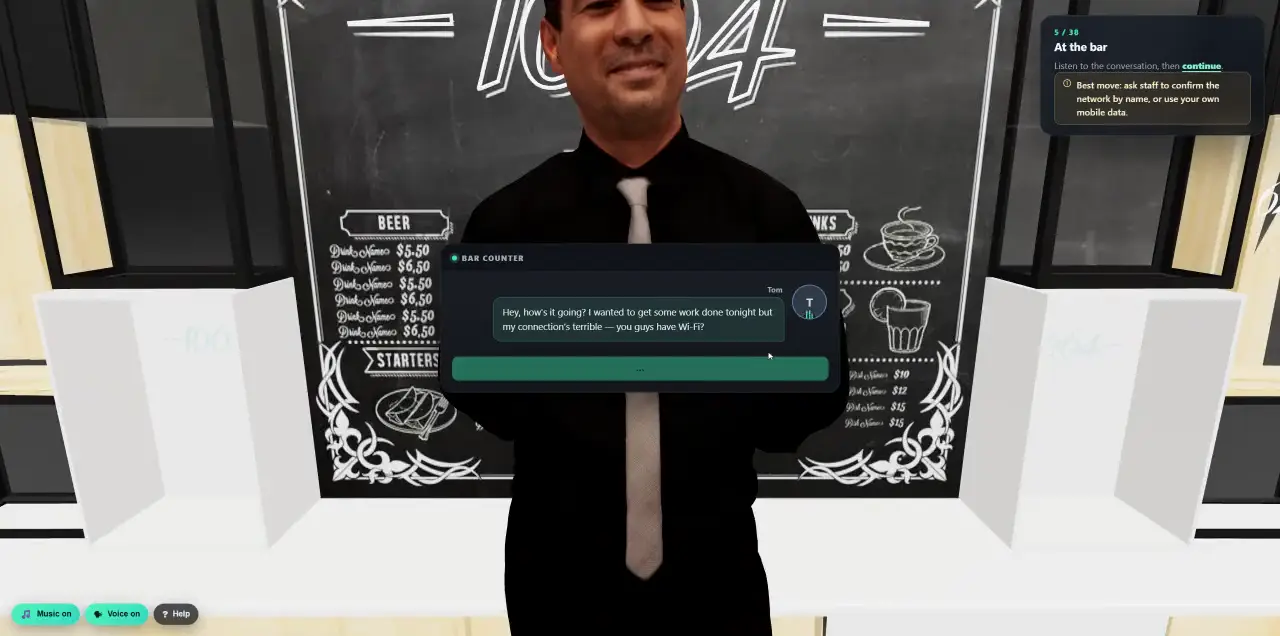
 Walk into a 3D lesson.Watch a learner go through the bar scenario, step by step.
- Platform
- Security & Trust
Built for security teams.
A security-awareness platform knows a lot about your people. Cyberfrog keeps each customer separated in the database, lets you decide who may do what and how much of a person anyone sees, logs every change, and runs in German data centres, or entirely on your own premises.
- Hosted in Germany
- Supervisor, admin and viewer roles
- Configurable anonymisation
- On-premises edition
Separated by the database itself.
Every customer’s data is fenced off by row-level security in the database, not only by application code. A request without a customer context sees nothing at all.
- 01Tenant isolation
Row-level security on every customer table, tested automatically. MSP partners only enter customer workspaces they were granted, and every request is checked again.
- 02Strong sign-in
Company single sign-on, or a password plus an authenticator app with single-use recovery codes. Repeated wrong codes lock the attempt.
- 03Sessions you control
See every signed-in device and end one or all of them. Sensitive actions such as restoring a backup ask for two-factor again.
- 04Hardened
Encrypted secrets, TLS everywhere with HSTS, rate limits per customer, and checks that stop the platform from being used against internal networks.
Who may do what, cleanly separated.
Your operators and your customers’ admins work in the same platform without stepping on each other. Policies are set by people who cannot run campaigns, and campaigns are run by people who cannot change the policies.
- Supervisor
- Defines app and campaign policies and decides which settings admins may change. Cannot start campaigns or act on people.
- Admin
- Runs the programme: people, content, simulations and training, within the supervisor’s rules.
- Viewer
- Sees every result and report, changes nothing. Ideal for auditors and works councils.
- Custom profiles
- Read and write rights per area for anything in between.
- Locked settings
- “All data must be anonymised”: a supervisor locks it, and no admin can override it. Every change is audited.
See the risk, not the person.
A Privacy section in the settings decides how much of each person is visible, separately for every kind of data, from nothing at all to the first letter, masked or in full.
- Per kind of data
Campaign results, reports and exports, statistics, breach alerts, OSINT findings and leaked passwords each get their own level.
- Anonymised benchmarking
Compare teams and companies on anonymised totals, without exposing a single name.
- Lockable
A supervisor can fix the level so that no admin can switch it back.
- Little is kept
Simulations store only the event by default, not what people typed. Storing values is an explicit choice per campaign.
- Fair to employees
Managers see team totals only, with a minimum group of five. People who leave are anonymised automatically.
- Consent first
No voice or face of a real person is used for a simulation without recorded consent and approval.
- Hidden
- First letter
- Masked
- Full
Everything logged. Then deleted on time.
Every change and every download is written to an activity log that nobody can edit. And nothing is kept longer than you decide: logs and data are deleted automatically when their retention period ends.
- Access
- Admin
- People
- Content
- Campaigns
- Training
- Delivery
- Alerts
- AI
- System
- Append-only
- Who, what, when, from where, with the before and after of each change. Request bodies are never stored.
- Retention
- From 90 days to seven years, or forever, for logs, campaign data, breach alerts, OSINT results and recordings.
- Automatic deletion
- A daily job removes what has expired, and the deletion itself is logged.
- Export
- The full log as CSV at any time, for your SIEM or your auditor.
In Germany. In certified data centres.
The Cyberfrog platform and learner portal run at Hetzner in Nuremberg and Falkenstein, in data centres certified to ISO/IEC 27001:2022 and attested under BSI C5. Media rendering runs at Contabo in Germany.
- 01Certified hosting
Hetzner: ISO/IEC 27001:2022 for its Nuremberg and Falkenstein data centres (SOCOTEC, valid to September 2028) and a BSI C5:2020 Type 2 attestation. Contabo: German data centres under a GDPR data processing agreement.
- 02Your own backups
An encrypted backup of your workspace every night, verified, with weekly and monthly copies. Download it, or restore it yourself; people you erased stay erased.
- 03Disaster recovery
The whole platform is backed up continuously to a separate provider, append-only, with point-in-time recovery and a restore drill every month.
Your network. Your rules.
For organisations that must keep everything inside their own walls, Cyberfrog comes as a standalone edition that you install with Docker. Nothing leaves your network unless you allow it.
- Standalone
- Simulations, training, the portal and reports run without any outbound connection.
- Your choice
- Features that need outside services, such as AI content creation, OSINT or voice engines, are off by default. Your admin decides what to enable.
- Intranet or DMZ
- Run it inside the intranet, or in a DMZ where the intranet pulls results and configures campaigns through the API.
- Install
Docker on a server you control.
- Connect
Your directory, mail relay and SIEM.
- Decide
Which outbound features, if any, to switch on.
- Operate
Through the admin, or entirely through the API.
Answers, not marketing.
What security questionnaires usually ask, answered plainly.
- Data processing agreement
A GDPR Art. 28 agreement for every customer, with our subprocessors listed.
- AI providers
AI features use specialised providers. Switch them off per workspace, or use the on-premises edition without them.
- Credentials in simulations
By default nothing people type into a simulated sign-in page is stored.
- Production domains protected
Your own domains can never be registered or changed through the platform.
- Integrations
Read-only directory access, least-privilege mail permissions, signed webhooks.
- Questions?
Send us your questionnaire. We answer it, item by item.
Bring your security questionnaire.
In a 30-minute call we go through isolation, roles, privacy, hosting and on premises with your security team.