
 Walk into a 3D lesson.Watch a learner go through the bar scenario, step by step.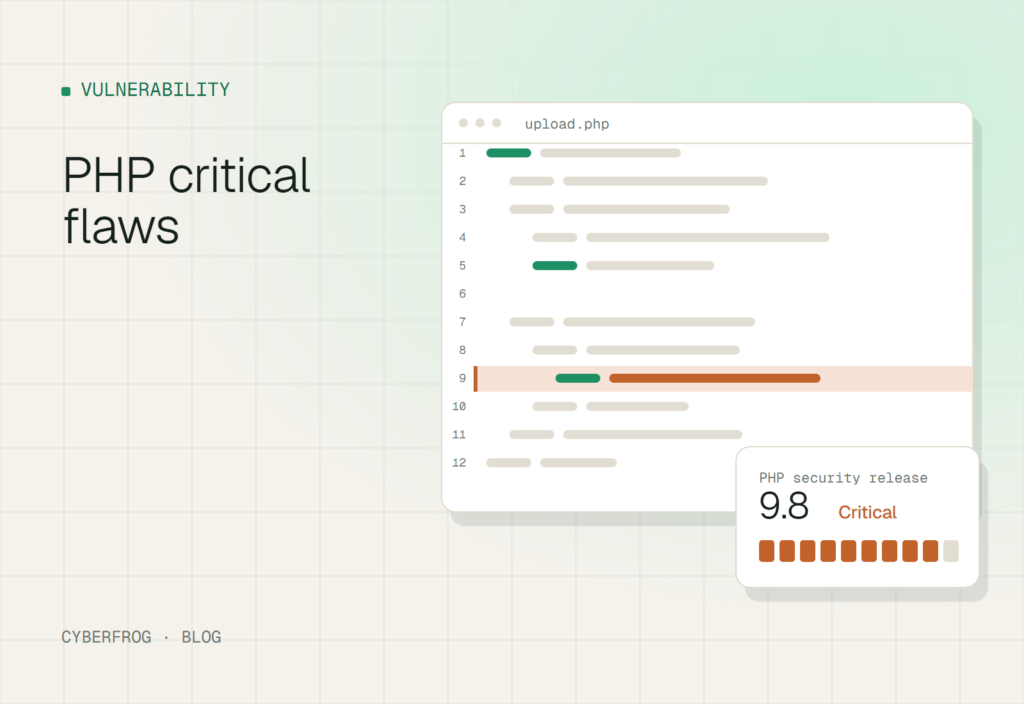
AI Security Awareness Training can help organizations turn critical software vulnerability announcements into practical lessons about cyber risk, incident response, and employee decision-making. On October 20, 2026, the PHP development team announced an emergency security release scheduled for October 21 to address two critical vulnerabilities, both rated 9.2 under CVSS v4.0. Administrators should prepare to install the fixes as soon as they become available, while security teams should also prepare employees to recognize deceptive communications that may exploit the urgency surrounding security incidents.
PHP is widely used to build websites, content management systems, e-commerce services, and custom web applications. Vulnerabilities in PHP can therefore have implications for organizations that depend on applications built with the language. The immediate priority is technical remediation, but the incident also provides an opportunity to strengthen security awareness, patch-management procedures, and defenses against social engineering.
What We Know About PHP’s Two Critical Vulnerabilities
According to the official PHP security announcement, the development team scheduled a security release for Wednesday, October 21, 2026, at 14:00 UTC. Both vulnerabilities received a CVSS v4.0 score of 9.2, placing them in the critical severity category.
The team urged PHP users to prepare for the updates and install them as soon as they become available. It also reserved the right to release the patches earlier if vulnerability details became public or evidence of active exploitation emerged.
At the time of the announcement, the PHP team had not published the full technical details, affected versions, or fixed versions in the notice. Administrators should therefore consult the official PHP website for the release information rather than assume that a particular installation is affected or safe.
The distinction matters because a vulnerability announcement is not proof that an organization has been compromised. It signals that security teams should assess exposure, verify affected systems, and take action based on authoritative technical guidance.
Why the Vulnerabilities Matter to Organizations
PHP applications may support customer portals, internal business tools, online stores, and other services that process sensitive information. If a deployed version is affected by a critical vulnerability, the organization’s risk depends on the specific flaw, the application’s configuration, its exposure, and the availability of effective mitigations.
Organizations should identify where PHP is deployed, including systems managed by third-party providers. An application may be maintained by a separate development team or hosting provider, making clear ownership and communication essential.
The immediate priorities are to:
- Inventory PHP-based applications and identify responsible administrators.
- Review the official security release for affected and fixed versions.
- Prepare and test updates in accordance with change-management procedures.
- Prioritize exposed and business-critical systems according to verified risk.
- Confirm successful patch deployment and document any remaining exposure.
These steps should be coordinated by IT operations, application owners, and security teams rather than left to individual employees to interpret the technical advisory.
How AI Security Awareness Training Connects to Software Vulnerabilities
AI Security Awareness Training is not a substitute for patching PHP or assessing vulnerable applications. Its role is to help employees understand the surrounding risks, recognize suspicious requests, and follow established security procedures when technical incidents occur.
A critical vulnerability can create a sense of urgency across an organization. Attackers may attempt to exploit that urgency through deceptive emails, impersonated IT personnel, fake security advisories, or fraudulent requests for credentials. However, there is no evidence in the cited PHP announcement that the two vulnerabilities themselves involved phishing or that attackers had successfully exploited them.
Security awareness teams should use the incident to prepare for plausible social-engineering scenarios without presenting hypothetical attacks as confirmed activity.
How Attackers Could Exploit the Urgency of a Patch Announcement
Security updates often require rapid coordination between technical teams, management, vendors, and business users. Attackers may try to take advantage of this pressure by posing as trusted contacts or inventing additional steps that appear necessary to resolve a security problem.
Employees might encounter messages claiming that they must:
- Sign in through an unfamiliar page to receive an urgent security update.
- Open an unexpected attachment containing supposed patch instructions.
- Share a password or authentication code with someone claiming to be IT support.
- Install an unapproved tool to resolve a reported vulnerability.
- Bypass standard approval procedures because a security deadline is approaching.
These examples are defensive training scenarios, not claims about observed PHP-related attacks.
The underlying lesson is simple: urgency should accelerate verification, not eliminate it. Employees should use approved internal channels to confirm unusual requests and report suspicious communications to the security team.
How to Detect Phishing Websites During Security Incidents
Knowing how to detect phishing websites helps employees distinguish legitimate security information from deceptive pages designed to collect credentials or deliver harmful content.
During a high-profile vulnerability announcement, a fake page may imitate a software vendor, an IT department, a hosting provider, or a familiar update portal. Employees should be trained to assess the destination and verify the request independently rather than relying on branding or urgent language.
Useful warning signs include:
- Unexpected login requests: A security announcement should not automatically require employees to enter their credentials on a new website.
- Lookalike domains: A web address may resemble an official vendor domain while containing additional words, misspellings, or an unrelated domain ending.
- Unusual instructions: Requests to disable security tools, share authentication codes, or install unapproved software warrant investigation.
- Pressure to act immediately: Messages that discourage independent verification should be treated cautiously.
- Unsolicited attachments: Unexpected files presented as emergency fixes should be verified before opening.
HTTPS and a padlock icon indicate an encrypted connection, not proof that a website is legitimate.
For technical patching, administrators should navigate directly to the official PHP website and consult its security announcements and release documentation. They should not rely on links in unsolicited messages.
Employees should also know how to report suspicious messages through approved organizational channels. Early reporting can help security teams investigate potential phishing attempts before other people interact with them.
What IT Administrators Should Do After the PHP Security Release
Security awareness supports the response, but technical teams must lead vulnerability remediation. The exact actions should reflect the affected versions and instructions published with the official release.
- Confirm the affected software
Identify PHP versions across production servers, development environments, containers, and managed hosting services. Review dependencies and application inventories to find systems that may not be visible through a central asset list.
- Review the official advisory
Check the PHP security announcement for vulnerability identifiers, affected branches, fixed versions, and any mitigation guidance. Do not assume that every PHP installation is affected or that an application is safe simply because it remains operational.
- Prioritize remediation
Assess exposure, application criticality, available mitigations, and business impact. Internet-facing services and systems handling sensitive information may require particular attention if the official advisory confirms they are affected.
- Test and deploy the fix
Use the organization’s change-management process to validate compatibility and deploy updates promptly. If immediate patching is not possible, document the reason, assess the residual risk, and apply vendor-recommended mitigations where available.
- Verify the outcome
Confirm that the intended versions are running, deployment records are complete, and any required services have been restarted. Review relevant logs and security telemetry for suspicious activity when appropriate.
If compromise is suspected, initiate the organization’s incident-response procedures. Patching addresses the vulnerability but does not, by itself, establish that no earlier intrusion occurred.
Train people for the attacks they actually face.
Build stronger habits with phishing, vishing, smishing, deepfake and immersive 3D simulations employees remember.
For additional context on translating technical incidents into employee learning, Cyberfrog’s article on the Cisco Email Gateway zero-day discusses the relationship between vulnerability remediation, security controls, and employee awareness.
How a Cybersecurity Training Platform Supports Incident Readiness
A Cybersecurity Training Platform can help organizations turn current security developments into relevant learning experiences. Rather than teaching employees to memorize individual vulnerability names, security teams can reinforce repeatable behaviors that apply across incidents.
For example, a training module based on the PHP announcement could explain the difference between an official security advisory and an unsolicited request to install a fix. Employees could practise verifying the sender, checking destinations independently, and reporting suspicious communications.
A structured program should connect three activities:
- Awareness education: Explain why software vulnerabilities matter, how patching responsibilities are divided, and why employees should not install unapproved updates.
- Controlled simulations: Use authorized phishing simulations to practise recognizing suspicious update notifications, impersonated IT support, and unexpected credential requests.
- Follow-up learning: Provide constructive feedback and additional training based on observed behavior and the needs of each role.
These activities complement technical vulnerability management. A phishing simulation cannot identify vulnerable PHP versions, and a completed training course cannot demonstrate that a server has been patched.
Organizations can explore Cyberfrog’s AI-powered security awareness training platform to understand how awareness education and phishing simulations fit into a broader security program.
Why AI-Powered Training Should Remain Human-Centered
AI can support the development and adaptation of security awareness content, but generated material still requires review. A training scenario about the PHP vulnerabilities should accurately reflect the public advisory, avoid unsupported claims about exploitation, and distinguish administrator responsibilities from employee responsibilities.
Employees should not be expected to diagnose software vulnerabilities or independently decide which production patches to install. Their role is to follow approved procedures, verify unusual requests, and report suspicious activity.
IT administrators, meanwhile, need technical documentation, reliable asset inventories, tested deployment processes, and clear escalation paths.
This separation of responsibilities helps organizations improve security behavior without treating awareness training as a replacement for technical expertise.
Human Risk Management Beyond Training Completion
Human Risk Management examines patterns in security behavior to help organizations identify where additional guidance or practice may be useful. In the context of a critical vulnerability announcement, relevant indicators include whether employees report suspicious communications, follow approved verification procedures, and understand how to escalate unusual requests.
A useful measurement approach considers multiple signals:
- Training completion: Whether assigned learning activities have been completed.
- Knowledge assessment: Whether employees understand the relevant security procedures.
- Reporting behavior: Whether suspicious communications are reported through approved channels.
- Simulation outcomes: How employees respond to controlled, authorized scenarios.
- Improvement over time: Whether feedback and additional training support better decisions in subsequent exercises.
No single measure proves that an employee is high risk or that an organization is secure. Likewise, a low phishing click rate does not establish that employees can recognize every form of social engineering.
The objective is to identify learning needs and strengthen organizational resilience, not to shame employees for mistakes.
Organizations with broader exposure-management programs may also consider dark web exposure monitoring for employees where appropriate, particularly when investigating exposed corporate credentials. Such monitoring is a separate defensive capability, not a feature that should be assumed to come with a security awareness platform.
For further practical guidance, Cyberfrog’s article on AI Security Awareness Training and the Yandex outage explores how organizations can turn real-world technology disruptions into lessons about secure behavior and operational resilience.
Security Awareness Checklist for Critical Vulnerability Announcements
Security and IT leaders can use the PHP announcement to review their organization’s readiness before the next critical vulnerability emerges.
- Maintain an inventory of PHP deployments and assign clear ownership.
- Monitor official vendor security announcements.
- Establish a process for assessing, testing, and deploying emergency patches.
- Communicate approved update procedures to employees and administrators.
- Train employees to verify unexpected security instructions independently.
- Make reporting suspicious messages simple and accessible.
- Run authorized simulations based on realistic, relevant scenarios.
- Measure reporting, knowledge, and behavioral improvement over time.
- Coordinate awareness activities with vulnerability management and incident response.
- Review lessons learned after remediation and update procedures when necessary.
The checklist should be adapted to the organization’s infrastructure, staffing, and risk profile. Smaller organizations may rely on managed hosting providers, while larger enterprises may need coordination across application teams, regional IT departments, and external service providers.
Frequently Asked Questions
What are the two critical PHP vulnerabilities announced in October 2026?
The PHP development team announced two critical vulnerabilities on October 20, 2026, with an emergency security release scheduled for October 21 at 14:00 UTC. Both received CVSS v4.0 scores of 9.2. The initial announcement did not disclose the full technical details or affected versions, so administrators should consult the official PHP security release for definitive guidance.
What should administrators do before the PHP patches become available?
Administrators should identify their PHP deployments, establish which applications they maintain, review the official advisory, and prepare an appropriate testing and deployment process. They should also coordinate with hosting providers and application owners. Once the fixed versions are published, administrators should verify applicability and prioritize remediation according to the vendor’s guidance and their organization’s risk.
Can security awareness training prevent software vulnerability exploitation?
Security awareness training cannot patch software or guarantee protection against vulnerability exploitation. It can, however, help employees recognize deceptive communications, verify unusual requests, and report suspicious activity. Organizations should combine awareness programs with timely patching, secure configurations, access controls, monitoring, and incident-response procedures.
How can AI Security Awareness Training help during a critical security incident?
AI Security Awareness Training can support the development of incident-based learning materials and realistic, controlled practice scenarios. For example, employees can learn how to verify security-update messages and report suspicious requests. Human review is essential to ensure that training accurately represents the incident and does not confuse hypothetical attack scenarios with confirmed activity.
Turn Security Awareness Into Practical Security Readiness
The PHP security announcement demonstrates why organizations need both effective technical remediation and clear security procedures. Administrators must address affected software promptly, while employees need to understand how to verify unexpected instructions and report suspicious communications.
Cyberfrog brings security awareness training and phishing simulations into the broader conversation about human risk management. Explore the Cyberfrog platform to learn how structured training and realistic practice can support a stronger security culture alongside established technical controls.
Disclaimer: Cyberfrogsecurity reports on publicly available threat-intelligence sources. Inclusion of an organization in an article does not imply confirmed compromise. All claims are attributed to external sources unless explicitly verified.
Sources
- static.php.net static.php.net
Make awareness training feel real.
Phishing, vishing, smishing, deepfake and 3D simulations with AI content and unified reporting.