
 Walk into a 3D lesson.Watch a learner go through the bar scenario, step by step.
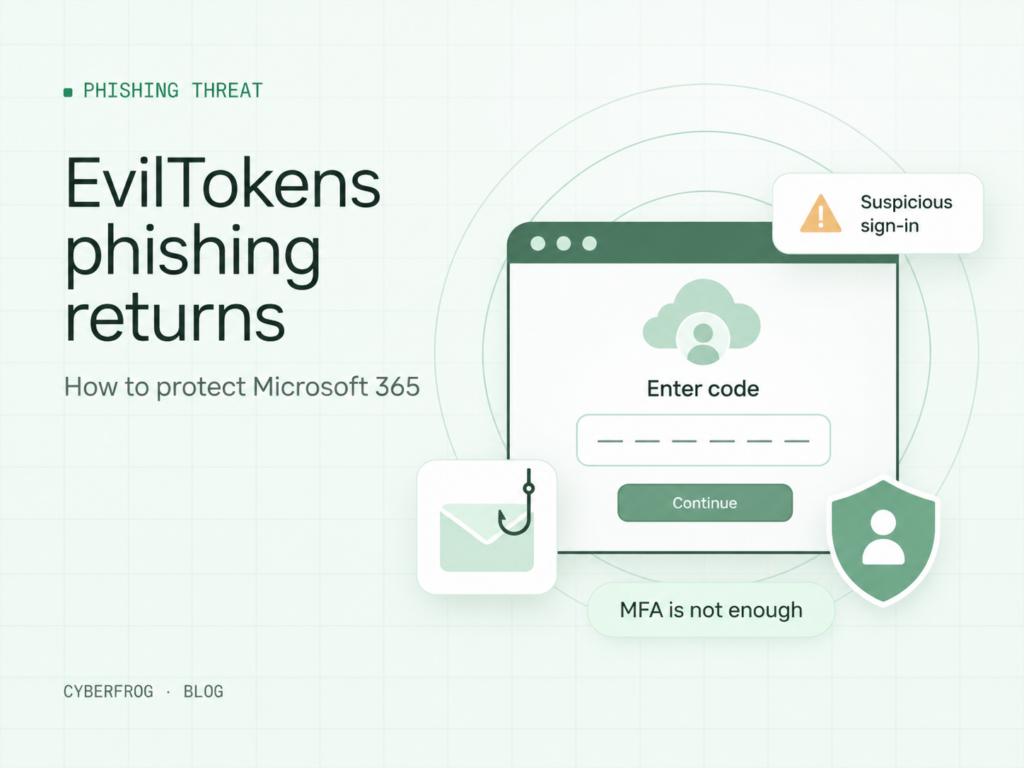
EvilTokens phishing has resurfaced following a coordinated Microsoft takedown in September 2026, with researchers identifying renewed activity across phishing websites. As explained in Microsoft’s investigation into device code phishing, these attacks exploit legitimate authentication processes to compromise Microsoft 365 accounts, even when multifactor authentication (MFA) is enabled.
The renewed activity highlights a weakness in conventional phishing prevention: employees can unknowingly authorize an attacker while interacting with a genuine Microsoft authentication page.
For organizations, understanding this technique is essential to protecting corporate email, sensitive business information, and employee identities.
EvilTokens Phishing Returns After Microsoft’s Takedown
EvilTokens emerged in February 2026 as a phishing-as-a-service (PhaaS) platform that enabled cybercriminals to target organizational accounts through device code authentication.
In September 2026, Microsoft and its partners coordinated an operation to disrupt the infrastructure supporting the service.
However, reporting published on November 24, 2026, indicates that phishing infrastructure associated with EvilTokens has resurfaced.
Independent security researchers at Ohey identified 20 newly observed websites containing matching EvilTokens code during November. These findings suggest continued use of the phishing technology, although they do not establish that the original criminal organization has fully restored its operations.
The resurgence demonstrates why infrastructure takedowns, while valuable, cannot permanently eliminate the underlying social engineering techniques.
Organizations must prepare for the attack method itself rather than relying exclusively on blocking previously identified malicious websites.
What Is EvilTokens Phishing?
EvilTokens phishing is a form of identity-based cyberattack that abuses Microsoft’s legitimate OAuth device code authentication process. Instead of simply stealing passwords through counterfeit login pages, attackers manipulate employees into authorizing an authentication session controlled by someone else, potentially granting unauthorized access to corporate Microsoft 365 resources.
This makes the technique particularly dangerous because familiar security indicators may appear legitimate.
The employee may recognize Microsoft’s website, enter valid credentials, and successfully complete MFA without realizing that the authentication request originated from an attacker.
How Device Code Phishing Works
Device code authentication was designed to help users authenticate devices that cannot easily accommodate conventional browser-based sign-ins.
EvilTokens phishing exploits the separation between the device requesting authentication and the person completing it.
From the employee’s perspective, an attack may resemble an ordinary business interaction:
- An unexpected email announces a shared document, invoice, or contract.
- The recipient encounters a request to verify their identity.
- A device authentication code appears as part of the verification process.
- The employee completes authentication without realizing they are authorizing an unfamiliar session.
The result can be unauthorized access without the attacker needing to directly capture the employee’s password.
This is why organizations should expand their security awareness education beyond traditional phishing scenarios and teach employees to question unexpected authentication requests.
Why EvilTokens Phishing Can Bypass MFA
Multifactor authentication remains an essential security control. However, it does not guarantee that every authenticated session is trustworthy.
EvilTokens phishing exploits the user’s decision to authorize a session rather than necessarily defeating the authentication technology itself.
Once an employee completes the deceptive authorization request, the attacker may obtain authentication tokens that provide access to permitted resources.
The distinction is significant. Traditional phishing awareness often teaches employees to protect their passwords and recognize counterfeit websites. Device code phishing requires them to understand whether an authentication request is legitimate in its original business context.
Even a genuine login page cannot guarantee that the session being authorized is safe.
What Happens When a Microsoft 365 Account Is Compromised?
The consequences of EvilTokens phishing can extend considerably beyond unauthorized mailbox access.
Depending on the compromised identity, granted permissions, and organizational security controls, potential consequences include:
- Theft of confidential business communications.
- Exposure of customer and employee information.
- Business email compromise and invoice fraud.
- Internal phishing campaigns using trusted accounts.
- Unauthorized access to permitted cloud resources.
- Longer-term account compromise through persistence mechanisms.
Finance departments, executives, procurement teams, and administrators deserve particular attention because their accounts may contain commercially sensitive information or provide access to critical business processes.
Organizations can also use dark web monitoring to identify exposed corporate credentials and other leaked information that could contribute to subsequent targeted social engineering campaigns.
External exposure intelligence complements identity protection, but it does not replace authentication monitoring or incident response.
How Employees Can Recognize EvilTokens Phishing
Employees do not need advanced cybersecurity knowledge to recognize suspicious authentication requests. They need practical guidance that reflects how modern attacks actually occur.
Question unexpected device codes
A request to enter a device code should raise concerns when the employee has not independently initiated a device authentication process.
Train people for the attacks they actually face.
Build stronger habits with phishing, vishing, smishing, deepfake and immersive 3D simulations employees remember.
Receiving a document or invoice is not, by itself, a reason to authorize an unfamiliar device.
Verify the business context
Employees should independently confirm unexpected document-sharing requests, payment instructions, or account verification messages through an established communication channel.
Avoid relying exclusively on the contact information contained in the suspicious message.
Report unusual authentication requests
If a request feels inconsistent with the employee’s normal workflow, reporting it to the security team is preferable to completing it.
Early reporting may help prevent other employees from encountering the same phishing campaign.
How Organizations Can Prevent EvilTokens Phishing
Effective protection requires a combination of identity security, employee education, and incident detection.
Restrict device code authentication
Security teams should review whether their organization genuinely requires device code authentication.
Microsoft recommends blocking this authentication flow wherever possible using Microsoft Entra Conditional Access policies.
Where legitimate business requirements exist, administrators should carefully restrict exceptions and test changes before broader deployment.
Monitor suspicious identity activity
Security operations teams should investigate unusual authentication patterns, unexpected device registrations, suspicious mailbox rules, and anomalous access to cloud resources.
These activities may indicate account compromise even when no traditional malware infection has occurred.
Strengthen employee security awareness
Employees should understand that familiar branding and successful MFA verification do not automatically establish trust.
Regular phishing simulation training can help organizations evaluate employee responses to suspicious requests and identify areas where additional education is needed.
Training should reinforce independent verification, timely reporting, and safe authentication practices.
What to Do After a Suspected EvilTokens Phishing Attack
Employees who believe they have authorized a suspicious session should contact their security team immediately.
Organizations should activate their incident response procedures, assess the affected identity, revoke compromised sessions and refresh tokens, and investigate unauthorized device registrations or mailbox changes.
Resetting the password alone may not be sufficient.
Security teams should also determine whether sensitive information was accessed and whether the compromised account was used to target additional employees or external business contacts.
After containment, use the incident to improve technical controls and employee training without discouraging future reporting through blame.
Frequently Asked Questions
Is EvilTokens phishing still active after Microsoft’s takedown?
Research published in November 2026 identified renewed activity involving websites with matching EvilTokens code. Although Microsoft disrupted infrastructure associated with the service in September, subsequent observations indicate that the phishing technology remains a threat. Organizations should continue monitoring identity-based attacks rather than assuming the takedown permanently eliminated the risk.
Can EvilTokens phishing compromise accounts protected by MFA?
Yes. Device code phishing can manipulate users into completing legitimate authentication requests that authorize an attacker’s session. MFA may function correctly during this process while the employee misunderstands what they are approving. Restricting unnecessary authentication flows and improving employee awareness can help reduce this risk.
Does changing a password stop a device code phishing attack?
Not necessarily. Attackers may retain access through previously issued tokens or other persistence mechanisms. Security teams should investigate the account, revoke relevant sessions and refresh tokens, review registered devices, and assess unauthorized changes. Password resets should form part of a broader incident response strategy.
Can security awareness training help prevent EvilTokens attacks?
Yes. Relevant training helps employees recognize unexpected authentication requests, verify suspicious communications, and report potential attacks. However, education should complement technical protections, including Conditional Access policies, identity monitoring, and appropriate authentication restrictions. Neither employee awareness nor technical security controls should operate in isolation.
Prepare Your Employees for the Next Phishing Attack
The return of EvilTokens phishing reinforces a critical lesson: cybercriminals increasingly exploit human decisions rather than simply targeting passwords.
Cyberfrog helps organizations prepare employees for evolving social engineering threats through realistic attack simulations, interactive security awareness training, and targeted educational content.
Give your workforce the confidence to question unexpected authentication requests, recognize suspicious behavior, and report threats before they escalate.
Book a Cyberfrog demo and discover how practical, threat-informed security awareness can strengthen your organization’s human cyber defenses.
Sources
Make awareness training feel real.
Phishing, vishing, smishing, deepfake and 3D simulations with AI content and unified reporting.